Goal: Successfully set up a remarketing audience for your retargeting campaigns.
Ideal Outcome: An up-and-running Google search remarketing ad campaign to drive sales, lead or traffic to your website.
Prerequisites or requirements: You need a Google Ads account.
Why this is important: Users who already know your business are more likely to convert. Hence, targeting these potential customers are great low-hanging fruit opportunities.
Where this is done: Google Ads manager.
When this is done: When you wish to target customers who have interacted with your website, app, or Youtube channel and convert them into leads or customers.
Who does this: The person responsible for media buying.
Set up a new Audience segment
Head to https://ads.google.com/ and log in to your account.
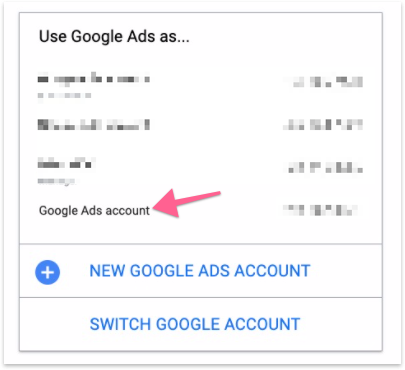
Select an account that you want to create the remarketing campaign.
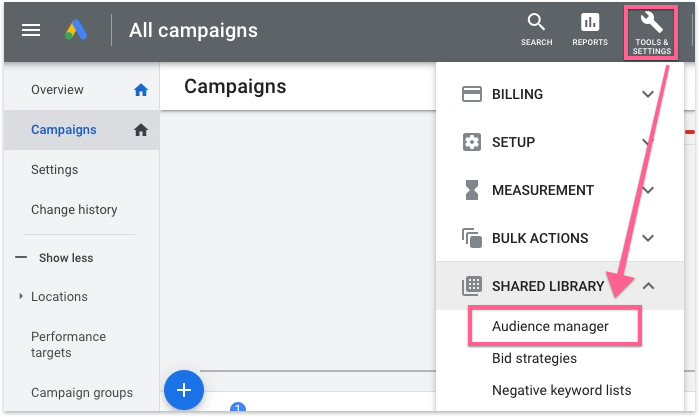
At the top navigation, click “Tools & Settings” and look for “Audience Manager” under “Shared Library”.
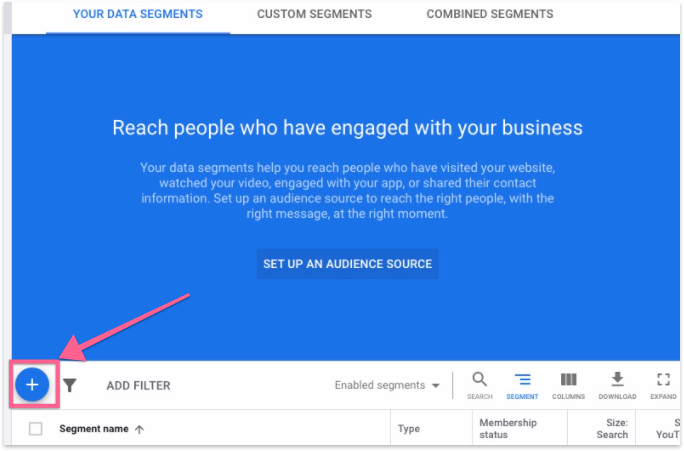
In Audience Manager, click the “+” icon.
Here there are 4 options to create an audience for your campaign.
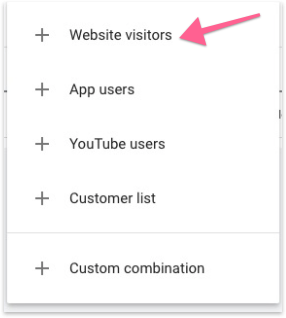
Website visitors — Target users who have visited your site.
App users — Target users who have downloaded your app.
Youtube users — Target users who have interacted with your Youtube channel.
Customer list — Target your customers.
For this document, we’ll set up an audience to target people who have visited your Website.
Fill in the details for the audience segment.
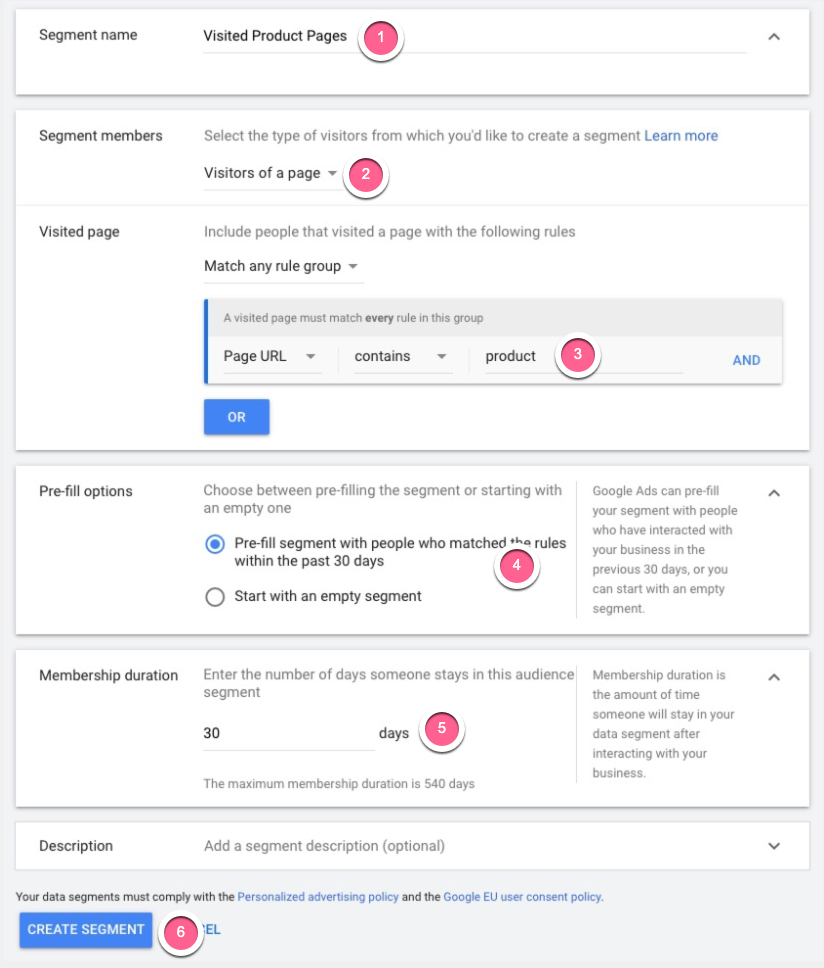
Segment name — A name to help you identify this target audience.
Segment members — Select the type of users who have interacted with your website.
Visited page — Select the page which the user has interacted with you want to target. In this example, we choose to target users who have visited our product page (www.example.com/product). You can select any (or multiple) pages as long as it is a valid page on your website.
Pre-fill options — Allow Google to populate this segment with users who have interacted with your website in the last 30 days (Default). Otherwise, you can start with an empty segment.
Membership duration — Set the duration (days) a user will stay in this segment. The member duration is 30 days by default, but it should be as long as you plan to run your campaigns.
Create Segment — Click to complete this audience segment.
You have now created a new segment of users who have visited your website. If the segment is set up correctly, you should be able to see how many people are currently in this segment.
