Goal: To understand clients' business requirements for the project as well as get access to the client's Facebook ads manager.
Ideal Outcome: You and your team have access to resources, and information needed to run Facebook ads for your client.
Prerequisites or requirements: You should have access to an active Facebook Business Manager account.
Why this is important: To make sure clients’ needs and concerns are addressed so you can begin running ad campaigns as soon as possible.
Where this is done: Email, Facebook Business and Ads Manager, Google Drive
When this is done: After you have acquired the signed contract from the client to kickstart the project.
Who does this: The marketing or account manager for the project.
Environment Setup
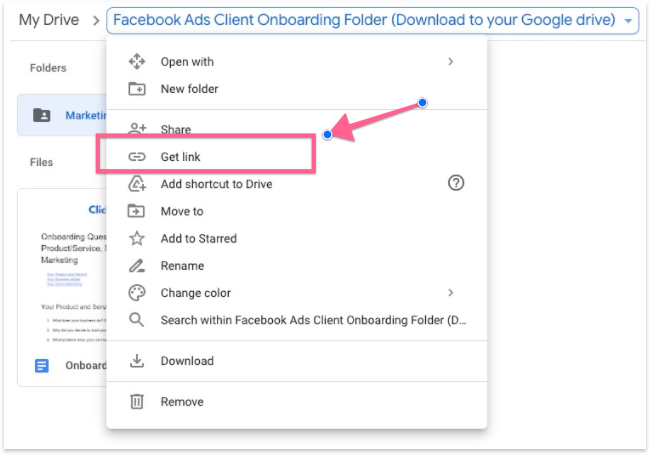
Download this Facebook Ads Client Onboarding Folder and upload it to your own Google drive folder. This folder includes an onboarding questionnaire, project management template and a subfolder “Marketing and creative resources” to onboard your client.
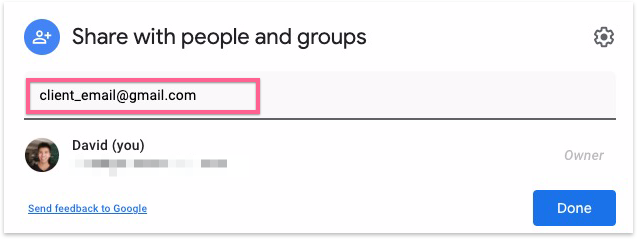
Once you’ve uploaded the folder, share the folder access with your client.
Send Welcome email
Send the welcome email as soon as you receive the signed contract.
Make a copy of and use this onboarding email template to request all necessary information from your client.
In the onboarding email template you will find:
A linked document to help guide your client to grant you access to their Facebook Ad Account
The Onboarding questionnaire that they should fill out before the Kickoff call
The Google Drive folder where all the assets will be shared
A link to schedule the Kickoff call
The contacts of all the team members that will work on the client’s account
All you have to do is edit the following:
Link to your Facebook Ads Client Onboarding Folder
Your Facebook Business ID (required for the client to grant you access to their Facebook Business Manager)
Link to schedule the kickoff call with the client
Team contact details
Set up Kickoff Call
Make sure your client has filled in the onboarding questionnaire before the call.
Send an email reminder 2 days prior to the call to remind the client of the onboarding questionnaire.
Use this Kickoff Call Agenda Template to plan your kickoff call with the client.
Calculate the approximate ad budget using this Facebook Ads Budget Calculator.
Plan project scope and deliverables using this Project Timeline and Deliverables Template.
Fill in the Facebook Ad Client brief based on what you gathered from the kickoff call.
Set up a strategy/proposal call with the client.